

What this exact layout is good at
A visible QR link plus a short explanation, with more breathing room than the 30mm text layout.
Useful destinations: Menus · Review pages · Contact details · Social profiles · Booking pages
Free UK delivery over £15 · Order before 2pm
Stamp Ninja
Couldn't load pickup availability
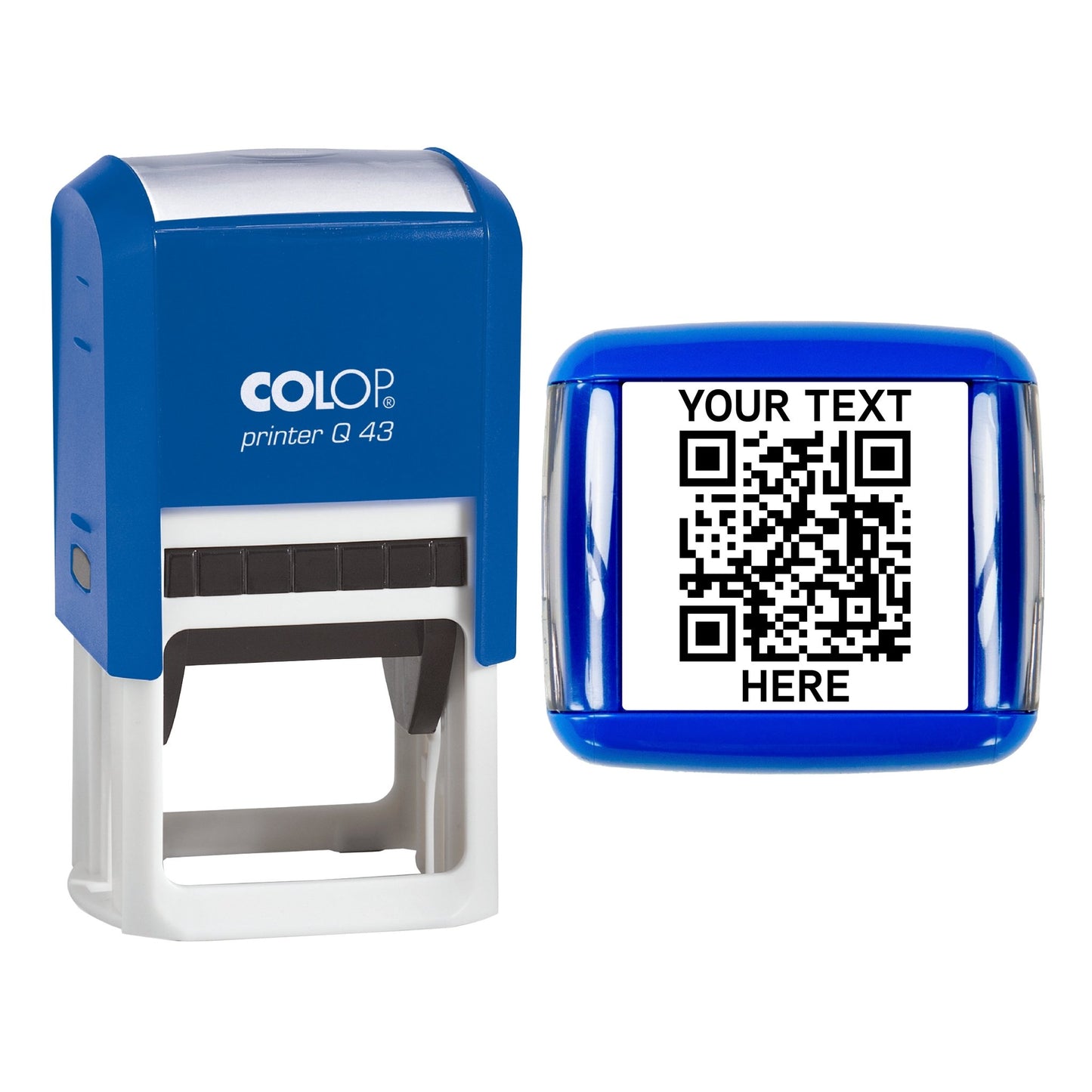
43mm format
Layout selected by this product.
Create and test the QR before personalising.
Choose from the live personaliser options
The larger option in the current range, giving the QR modules and clear margin more physical room. Add a short business name, destination label or call to action beneath the uploaded QR code.
Best for: A visible QR link plus a short explanation, with more breathing room than the 30mm text layout.
Scan guidance: Good combined-layout headroom, provided the text stays short and the QR source is clean.
Layout illustration only — upload your own tested QR code above.
A visible QR link plus a short explanation, with more breathing room than the 30mm text layout.
Useful destinations: Menus · Review pages · Contact details · Social profiles · Booking pages
Still test the actual impression: a very dense uploaded code can remain demanding even at 43mm.
Layout check: Keep both lines concise. The text shares the available impression area and should never crowd the QR clear margin.
Personalise in the right order
Use a stable destination and export a crisp, square, high-contrast QR code with its blank margin intact. Test the source file.
Place the ready-made code inside the available design area. Add no more than two short lines and keep them clear of the code.
Check the code is square, uncropped and not stretched. Verify every option before adding the personalised stamp to the basket.
Upload checklist
Use a page or managed redirect you expect to keep. A static code cannot be edited after production.
A shorter direct URL normally creates fewer modules than a long tracked link, making a physical stamp more forgiving.
Do not crop or cover the blank margin around the QR code. Avoid borders, logos and text touching the modules.
Avoid photographs, screenshots, blur, skew and heavy compression. Upload the clean export from the QR generator.
Make several practice impressions on the intended matt paper or card. Scan them with more than one phone, under realistic lighting and from different angles. No physical QR stamp can guarantee a scan in every condition.
Standard self-inking ink is water-based. It needs an absorbent surface and a firm, even press to reproduce the small QR modules cleanly.
Ink can smudge or fail to dry on coated card, plastic, foil and glossy packaging. Even small smears can prevent a QR code from scanning.
Why order from Stamp Ninja
Experience across personalised, business and specialist stamp ranges.
Supplying stamps to businesses and individuals since 2017.
Personalisation, production and dispatch handled from Blackburn.
Obsesso Ltd holds written COLOP authorisation to list genuine COLOP products.
Product questions
The current product uses an uploaded, ready-made QR code. Create and test the QR first, then upload its clean source file through the personaliser.
This layout allows up to two short lines. Keep them concise so the QR code and its blank margin remain dominant and legible.
No physical QR stamp can guarantee a scan in every condition. Results depend on the uploaded code, size, ink coverage, material, pressure, lighting and phone. Test several real impressions before relying on the mark.
The rubber die permanently reproduces the uploaded QR image. A dynamic QR may redirect elsewhere through its provider, but that depends on the external service and any ongoing account or subscription.
Use standard self-inking stamp ink on absorbent matt paper and card. Glossy, coated and non-porous stock can smudge or fail to dry, damaging the fine QR modules.
Make several impressions on the intended material, allow normal drying time and scan them with more than one phone under realistic lighting and from different angles.
Compare all four QR stamp layouts or use the detailed QR guide before submitting the production artwork.
Loading your personaliser…